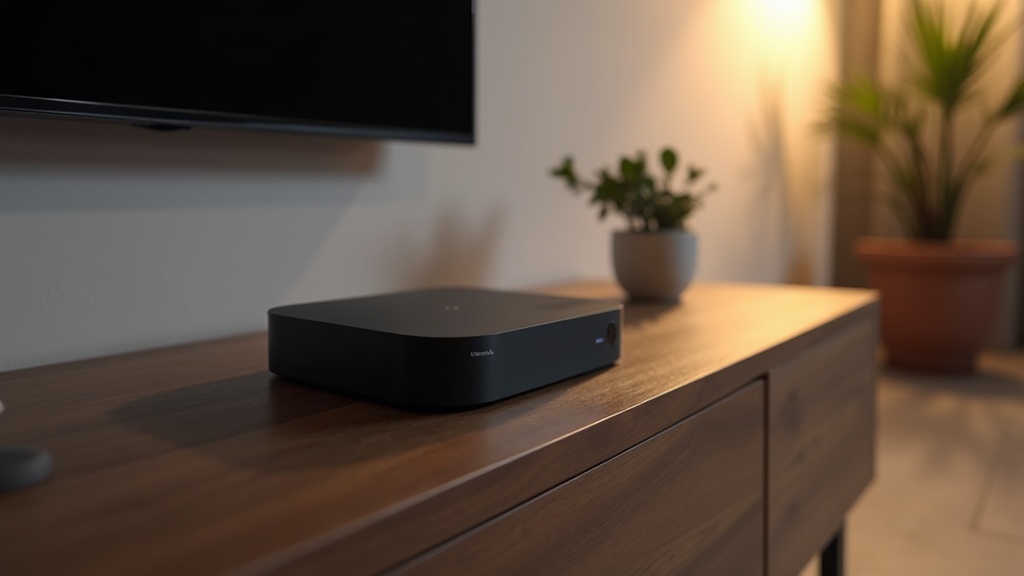
If you are shopping for an IPTV box in Canada in 2026, the good news is that you have more solid options than ever. The tricky part is that most of the choice comes down to two separate decisions: the hardware you stream on, and the IPTV service that actually delivers the content. Get both right and you end up with a smooth, reliable setup that works across the living room TV, the bedroom, and your phone. Get one wrong and you will be dealing with buffering, clunky menus, or a picture that never quite looks as sharp as it should.
This guide walks through how to pick the right IPTV box for a Canadian home, what features genuinely matter, and how the device and the subscription-canada-2026-guide">subscription work together. The goal is to help you make one confident purchase instead of trial-and-error across several.
What an IPTV Box Actually Does
An IPTV box is simply the small streaming device that plugs into your TV and runs the app your service uses. Instead of a satellite dish or a cable line, it pulls live and on-demand content over your home internet connection. The box handles the decoding, the interface, and the remote control experience, while your IPTV provider supplies the channels, the video quality, and the server reliability.
Because of that split, a great box paired with a weak service still disappoints, and a strong service on an underpowered box can stutter on higher-resolution streams. Thinking about both together is the single most useful habit when comparing options.
What to Look For in an IPTV Box for Canada
Not every streaming device is a good fit for a demanding IPTV setup. Here are the features that make the biggest real-world difference.
Processing Power and RAM
Live streaming, fast channel switching, and higher-resolution playback all lean on the device's processor and memory. A box with a modern chipset and enough RAM will feel responsive when you flip between channels, load a guide, or scrub through on-demand content. Bargain-bin boxes often struggle exactly where it matters most: live sports and busy prime-time viewing.
App Compatibility
The best IPTV box for Canada is one that runs the player apps your service recommends. Android-based streaming boxes are popular because they support a wide range of IPTV players, but plenty of other platforms work well too. Before buying hardware, confirm that your chosen service supports it so you are not locked out of the app you need.
Connectivity and Storage
Look for a device with an Ethernet port. For live streaming, a wired connection is far more stable than Wi-Fi, and in a country with plenty of large, spread-out homes, that stability matters. A little onboard storage or a microSD slot also helps, since apps and updates need somewhere to live.
- A modern quad-core (or better) processor for smooth live playback
- At least 2 GB of RAM so the interface stays responsive
- An Ethernet port for a stable wired connection
- Support for the resolutions your TV and service offer
- Compatibility with the IPTV player apps your provider recommends
Why Canada Adds a Few Extra Considerations
Choosing an IPTV box in Canada comes with a couple of local factors worth keeping in mind. Internet speeds and reliability vary a lot between dense urban areas and more rural regions, so the quality of your connection directly shapes how well any box performs. If your home relies on a slower or less consistent line, a wired device and a service with well-distributed servers will make a noticeable difference.
Canada is also a genuinely multilingual, multicultural market. Many households want a mix of English and French content alongside international content from around the world. When you evaluate a service, it is worth checking that it carries the languages and regions your family actually watches, rather than assuming a broad package covers everything. A capable box means nothing if the content lineup does not match your needs.
Finally, think about time zones and scheduling if you follow live sports or news. A reliable service with good uptime is what keeps you from missing the moments you care about, which is why the subscription side deserves as much attention as the hardware.
Device Options and Setup
You do not always need a dedicated IPTV box. Many people start with a streaming stick or box they already own, install a supported player app, and are up and running in minutes. If you want the best experience, though, a purpose-chosen Android streaming box tends to offer the best balance of power, app support, and price.
Setup is usually straightforward. In most cases you connect the box to your TV and network, install the recommended app, and enter the login or playlist details your provider gives you. A quality service will make this simple and offer help if you get stuck. Services like Optimedia focus on keeping onboarding painless so you can go from unboxing to watching without wrestling with configuration files.
- Connect your box to the TV and to your network (Ethernet preferred)
- Install the IPTV player app your provider recommends
- Enter the login or playlist details from your subscription
- Run a quick test on a live channel and an on-demand title
- Adjust video quality settings to match your internet speed
Honest Pros and Considerations
IPTV boxes have clear advantages, but it is only fair to weigh them against the trade-offs so you know what you are buying into.
The Upsides
- One device can bring together live channels, on-demand titles, and apps
- Access to premium channels and international content in a single interface
- Typically far more flexible and portable than traditional hardware
- Works across multiple rooms and screens when your service allows it
Things to Keep in Mind
- Your experience is only as good as your internet connection
- Cheap, underpowered boxes can bottleneck an otherwise great service
- Reliability depends heavily on the provider you choose, so pick carefully
- You may need to spend a few minutes on initial setup and quality tuning
The takeaway is that the box is important, but the service behind it is what determines whether your 2026 setup feels premium or frustrating. If you want a dependable starting point, you can get started with Optimedia's plans and pair them with a box that meets the specs above.
Frequently Asked Questions
Do I need a special IPTV box, or can I use a device I already own?
In many cases you can use an existing streaming stick, box, or smart TV as long as it runs a supported player app. A dedicated, well-specced box is worth it if you want the smoothest experience, especially for live streaming and higher resolutions.
What internet speed do I need for a good IPTV experience in Canada?
A stable connection matters more than a huge number. Higher-resolution streams benefit from more bandwidth, and a wired Ethernet connection helps keep playback steady. If your line is inconsistent, lowering the stream quality can smooth things out.
Is an Android box the best choice for IPTV in Canada?
Android-based boxes are a popular pick because they support a wide range of IPTV apps and offer good value. That said, the best choice is whichever device meets the specs above and is compatible with the service you plan to use.
How do I make sure my box and service work together?
Check your provider's recommended apps and supported devices before buying hardware. A good provider will list what works and help you set it up. When you sign up with a reliable service, matching the right box is the final easy step.
Ready to start streaming? Browse IPTV plans for Canada and get set up on your devices in minutes - no contracts, instant activation.