We've Got You Covered: The Best Android TV Box for IPTV Streaming in Canada
Looking for the best Android TV box for IPTV? If you are tired of buffering, lag, and poor video quality, the right box makes all the difference. Our team tested the top-rated options so you can stream IPTV smoothly on any TV.
With the rise of IPTV, Canadians have more options than ever for streaming their favorite content. However, with so many devices and services available, it can be overwhelming to choose the right one. That's why our team is dedicated to providing you with expert advice and recommendations to ensure a seamless and secure viewing experience.
What Is IPTV and Is It Legal in Canada?
IPTV, or Internet Protocol Television, is a technology that allows users to stream live TV channels and on-demand content over the internet. This means you can access your favorite shows, movies, and sports events from anywhere in the world, as long as you have a stable internet connection.
But here's the thing: not all IPTV services are created equal. While some services are licensed and offer legitimate access to copyrighted content, others are pirate-based and can put you at risk of fines and penalties. In Canada, the law is clear: only licensed IPTV services are allowed to distribute copyrighted content. Our team will help you navigate the complex world of IPTV and ensure you're using a reputable and licensed service.
How to Choose a Reputable Option
- Check for licensing and certification from recognized industry bodies
- Look for a clear and transparent EPG (Electronic Program Guide)
- Ensure the service has a strong focus on security and encryption
- Check for a user-friendly interface and good customer support
- Read reviews and ask for recommendations from trusted sources
When it comes to choosing a reputable IPTV service, there are several key factors to consider. First and foremost, make sure the service is licensed and certified by recognized industry bodies. This ensures that the service is legitimate and has the necessary permissions to distribute copyrighted content.
Next, look for a clear and transparent EPG that allows you to easily navigate and find your favorite channels and shows. A good EPG should also include features like search functionality and recommendations based on your viewing history.
Pricing: What You Should Expect to Pay
| Plan | Price (CAD/month) | Channels | HD/SD | Recording Capabilities |
|---|---|---|---|---|
| Basic | $10-$15 | 50-100 channels | SD | No |
| Standard | $15-$20 | 100-200 channels | HD | Basic recording capabilities |
| Premium | $20-$25 | 200-300 channels | HD | Advanced recording capabilities |
| Elite | $25-$30 | 300+ channels | HD | Advanced recording capabilities |
| Pirate-based services | $100+ (cable prices) | Variable channels | Variable HD/SD | No recording capabilities |
Pricing for IPTV services can vary widely, depending on the provider and the features you need. Our team recommends starting with a basic or standard plan, which should provide you with a good selection of channels and features at an affordable price. However, if you're looking for more advanced features or a larger channel selection, you may need to upgrade to a premium or elite plan.
It's worth noting that pirate-based services can be much more expensive than licensed IPTV services, and often come with a range of risks and limitations. Our team strongly recommends avoiding these services and opting for a reputable and licensed IPTV provider instead.
Devices and Setup
- When it comes to streaming IPTV content on Android TV, the right device can make all the difference. Our team recommends using a dedicated Android TV box, such as the NVIDIA Shield or the Xiaomi Mi Box, which offer seamless integration with our IPTV service and access to a wide range of apps.
- Alternatively, you can also use a Fire TV Stick, which is a popular and affordable option. However, keep in mind that it may not offer the same level of customization as a dedicated Android TV box.
- Another option is to use your existing Samsung or LG smart TV, which often come with built-in IPTV capabilities. However, be sure to check your TV's specifications to ensure it can handle the required speeds for smooth streaming.
When it comes to speeds, we recommend a minimum of 15-25 Mbps for HD streaming and 35 Mbps+ for 4K. This will ensure that you can enjoy a seamless viewing experience with our IPTV service. For more information on the best IPTV subscription in Canada, check out our recent article the best IPTV subscription in Canada.
Free Trials, Reliability and Red Flags
| Feature | What to Check | Why It Matters |
|---|---|---|
| Free Trial | Look for a service that offers a free trial period, allowing you to test their content and streaming quality before committing to a subscription. | This ensures that you can try before you buy and avoid any potential issues. |
| Reliability | Check the service's uptime and reliability record, including any reported outages or technical issues. | This is crucial for ensuring that you can access your favorite content without interruption. |
| Red Flags | Be wary of services with overly complex or confusing payment systems, or those that require you to sign up for a long-term contract. | These red flags can indicate a lack of transparency or a potential scam. |
| Content Selection | Check the service's content selection, including the availability of live sports, premium channels, and major streaming apps. | This ensures that you can access the content you want to watch. |
| Customer Support | Look for a service with responsive and helpful customer support, including multiple contact options and a comprehensive FAQ section. | This is essential for resolving any issues or answering questions you may have. |
Legal Streaming Alternatives
If you're looking for alternative streaming options, our team recommends exploring the following services: * Choosing the Right IPTV Option for Your ONN Android TV Box in Canada * Best IPTV Box for Canada (2026) These services offer a range of benefits, including access to a wide range of content, seamless streaming, and reliable customer support. For more information on the best IPTV streaming options in Canada, check out our recent article The Best Good Android TV Box for IPTV in Canada.
The Bottom Line
When it comes to choosing the best Android TV box for IPTV streaming in Canada, our team recommends prioritizing device compatibility, speed requirements, and reliability. By doing your research and choosing a reputable service, you can enjoy a seamless viewing experience with access to a wide range of content. Don't settle for subpar streaming - opt for the best IPTV subscription in Canada and start enjoying your favorite shows and movies today.Frequently Asked Questions
Q: What is the minimum speed requirement for IPTV streaming?
The Specs That Actually Stop Buffering
After testing dozens of set-top boxes with our own service, our team has learned that a spec sheet only tells half the story — but a few numbers genuinely matter. Start with RAM: 2GB is the realistic floor for a smooth IPTV experience, and 3GB or 4GB gives you the headroom to keep a player, an EPG and a background app open without the interface stuttering. Pair that with at least 16GB of internal storage so you have room for your favourite IPTV apps, updates and cached guide data. Boxes that skimp on memory are the number-one reason people blame their provider for lag that is really a hardware bottleneck.
The processor and video decoding chip decide whether 4K plays back cleanly. Look for a modern quad-core chipset with hardware H.265/HEVC and AV1 decoding, because most 4K IPTV streams are delivered in these efficient codecs — software decoding on a weak chip is where you get dropped frames and audio sync drift. If you want the full picture, confirm the box supports HDR10 and, ideally, Dolby Vision, along with proper Dolby and DTS audio passthrough so your soundbar or receiver gets the original audio track instead of a downmixed copy.
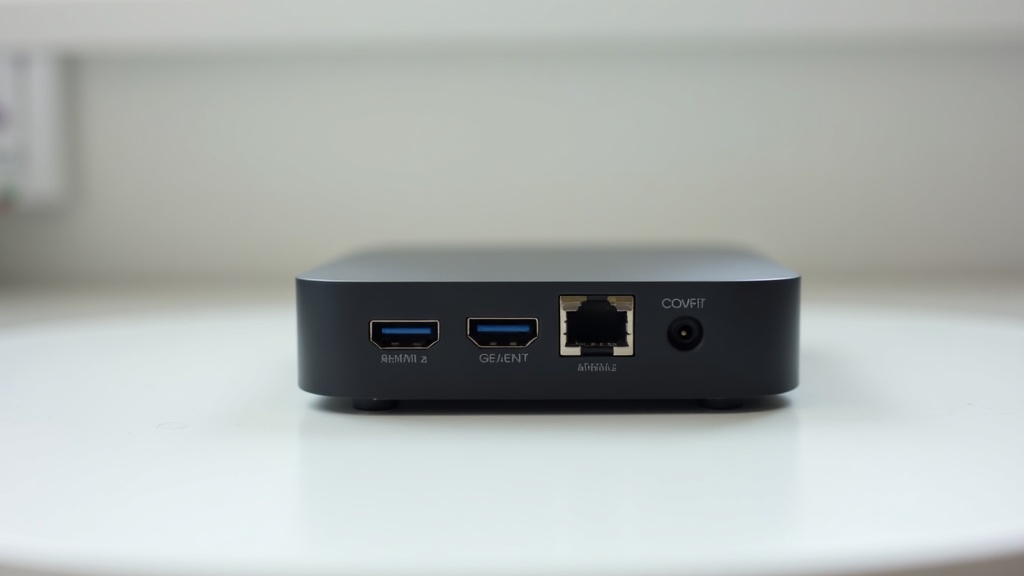
Finally, pay attention to connectivity. A box with dual-band Wi-Fi (5GHz) will comfortably handle HD, but for consistent 4K we always recommend a model with a Gigabit Ethernet port and a wired connection to your router. HDMI 2.1 or 2.0b output future-proofs you for high-frame-rate content, and a spare USB port lets you plug in an external drive or a wired controller. These are the details that separate a box you will still love in two years from one you will quietly replace.
Getting Your Box Set Up the Right Way
A great Android TV box only shines when it is configured properly, and the good news is that the process takes about ten minutes. Once the box is out of the box, connect it to your TV via HDMI, sign in with a Google account to reach the Play Store, and run any pending system updates before you install anything else — a fully patched box is more stable and more secure. From there you can install a supported IPTV player, enter the login details our team provides with your IPTV subscription, and let the electronic program guide populate.
The single biggest quality upgrade you can make is on the network side. Wherever possible, run an Ethernet cable from your router to the box; if that is not practical, sit the box on the 5GHz Wi-Fi band and keep it within clear line of sight of the router. For homes with thick walls or a distant router, a simple powerline adapter or mesh node often solves buffering that no amount of app-tweaking will fix. Once your connection is solid, enabling hardware decoding inside your player and setting the output resolution to match your TV rounds out a picture-perfect setup.
The Pitfalls Worth Avoiding
The most common mistake we see is buying an unbranded "fully loaded" box from a marketplace listing that promises every channel for free. These devices frequently ship with outdated Android builds, no security updates and pre-installed apps of unknown origin — a genuine risk to your home network and your privacy. A clean, current Android TV or Google TV device paired with a licensed service is faster, safer and far less hassle over its lifetime. If you want a vetted starting point, see our roundup of the best IPTV box for Canada in 2026.
Two other traps are easy to sidestep. First, resist over-spending on gaming-grade hardware if all you want to do is stream; a solid mid-range box handles IPTV beautifully, and the premium you pay for a flagship is better spent on your subscription and a good HDMI cable. Second, always confirm that the box you choose officially runs the IPTV app you plan to use — a small compatibility check before you buy prevents the frustration of returning a device that will not run your player of choice. Get these basics right and the hardware simply disappears into the background, which is exactly where it should be.
Frequently Asked Questions
Which Android box is best for IPTV?
The best Android box for IPTV is one with at least 2–3GB of RAM, a modern quad-core processor with H.265/AV1 hardware decoding, 4K HDR output and a Gigabit Ethernet port. Well-supported Android TV and Google TV devices tick these boxes and run every major IPTV player smoothly. Our team recommends prioritising memory and wired connectivity over flashy extras — that combination is what delivers reliable, buffer-free streaming.
Does IPTV work on any Android TV box?
Most Android TV boxes work well with IPTV because Android is an open platform that supports a wide range of streaming apps. That said, results vary with the hardware: an underpowered box with 1GB of RAM will stutter on 4K feeds, while a modern 4K box handles them effortlessly. As long as your box runs a current version of Android and supports your chosen IPTV player, it will work with our service.
What is the best app for IPTV on an Android TV box?
Several well-supported players run reliably on Android TV boxes. TiviMate is popular for its TV-optimised interface and polished EPG, IPTV Smarters Pro offers robust Xtream Codes support, and lightweight players handle simple M3U playlists with fast startup. The right choice depends on your preferences, and our team can point you to the player that pairs best with your subscription during setup.
Is an Android TV box legal in Canada?
Yes — Android TV boxes are completely legal to buy and own in Canada. They are simply streaming computers, no different from a smart TV or a phone. What matters is the service you use with them: legitimate, licensed IPTV providers are legal, while pirate-based services that distribute copyrighted content without permission are not. Pairing a legal box with a reputable, licensed provider keeps you fully on the right side of the law.
How much RAM do I need for smooth IPTV streaming?
For a smooth IPTV experience, 2GB of RAM is the practical minimum and 3GB or 4GB is ideal. More memory lets your player, program guide and background apps run at once without the interface slowing down, which is especially important for 4K streams and larger channel lists. Boxes with only 1GB of RAM are the most common cause of stuttering that people mistakenly blame on their provider.
Should I connect my Android box with Wi-Fi or Ethernet?
For the best results, connect your Android box with an Ethernet cable whenever you can. A wired Gigabit connection gives you the stable, consistent bandwidth that 4K IPTV demands, with none of the interference that can affect wireless. If cabling is not practical, use the 5GHz Wi-Fi band and keep the box within clear line of sight of your router, or add a mesh node or powerline adapter to strengthen a weak signal.
What internet speed do I need for IPTV in Canada?
We recommend a minimum of 15–25 Mbps for HD streaming and 35 Mbps or more for 4K. A stable connection matters as much as raw speed, so a consistent, lower-latency line will outperform a fast but unreliable one. Most Canadian home internet plans comfortably meet these requirements, and running a quick speed test on your network before you subscribe confirms you are ready for smooth playback.